Skip to content
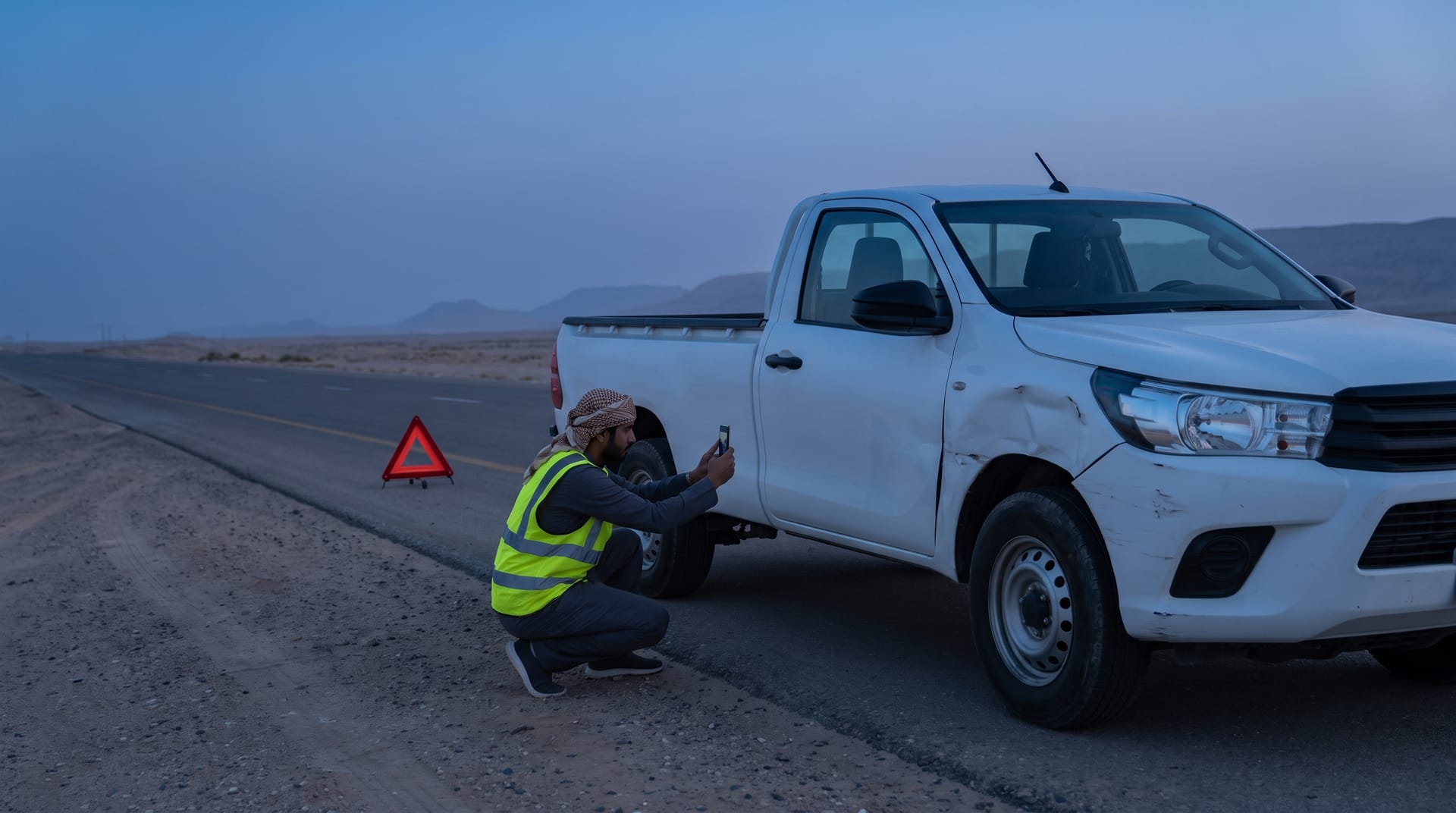
Documenting a vehicle accident in the field with photos
Maintenance & safety

An accident is one file, not scattered messages

One file gathering the accident’s parties, location, photos, damage map, the authority’s report number, and the liability percentage — then the repair path and its costs through to a documented closure.

Before

What happens today without this module

  • 01Documents scattered across chats, email, and files
  • 02The undrivable vehicle sits for days before anyone knows where to move it
  • 03The final cost is never consolidated, so it can’t be compared
Capabilities

Exactly what this module does

  • The accident file

    Parties, witnesses, vehicles, location, and attachments, plus the authority’s report number.

  • Damage map

    Damage positions marked visually on the vehicle’s outline, with photos.

  • Liability percentage and coverage

    The liability share, the insurance expiry date, and the cost — claim-ready data in one report.

  • Automatic workshop movement

    An undrivable vehicle opens a movement to the workshop the moment the accident is recorded.

  • A linked repair

    Moving to under-repair creates a linked maintenance record, and closure returns the vehicle to service.

Inside the service

How it actually works in your company

The moment of an accident is chaos: a shaken driver, photos scattered across chats, a vehicle whose drivability nobody at the office knows, then a claim file assembled weeks later from scattered sources. Here the accident is documented from the scene through the vehicle's code in four languages — parties, witnesses, injuries, photos and an interactive damage map — and if the vehicle cannot be driven, a workshop movement opens automatically the moment the report is saved. The file then runs from repair to a closure that returns the vehicle to service.

01

Full documentation from the scene

The field report page opens by scanning the vehicle's code, no account needed, in Arabic, English, Urdu and Hindi. The driver records the accident type and damage level, whether there are injuries, his own details and the other party's — plate, name, phone — and the witness, with guided photos and the captured coordinates, plus the authority's report number once issued. The damage map is interactive: he taps the vehicle's own outline to mark where the damage sits instead of describing it in words.

02

An undrivable vehicle never hangs

One question changes the file's path: can the vehicle still be driven? If the answer is no, the system creates — at the moment of registration — an approved movement from the accident scene to the workshop and switches the vehicle's status to maintenance automatically. It does not stand on the road for days waiting for someone to decide where it goes, and it never shows as available in the system while it sits wrecked and immobile.

03

Liability share and claim data

The file carries the liability percentage assigned to the driver, the insurance company with its policy expiry and the registration's, and the assessed amount against the actual repair cost — so the elements of a claim are complete in one place instead of being chased across email, chats and drawers. Whatever burden is assigned to the driver stays recorded in the file with its percentage, so accountability rests on a documented figure, not on a retelling.

04

Linked repair, closure restores service

Moving the file to under-repair automatically creates a maintenance record tied to the accident, numbered from its report number — once, never duplicated by later updates — so the repair work and its costs accumulate through the normal maintenance path while staying bound to their origin. Closing the file returns the vehicle to service automatically, and what management reads in the end is a single file: the accident, its parties, its damage, its liability and its cost, from the first photo to the last riyal.

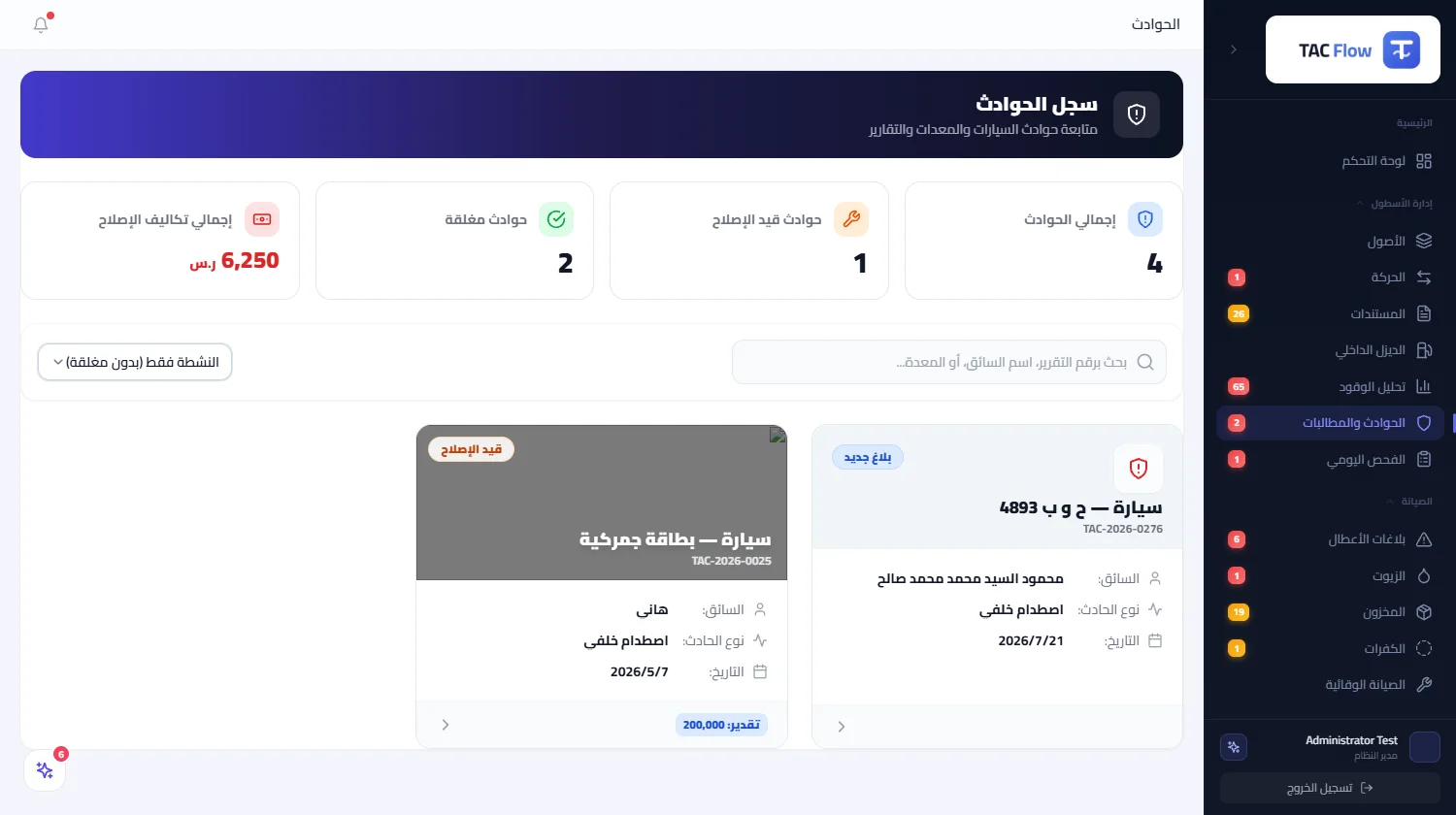
Inside the product

The screen as your team uses it

Accidents
Screen of Accidents
From the field, no account

One code on the asset opens all of this

The technician or driver scans the code printed on the asset and a public page opens in four languages — they submit directly, with no account and no app, and the entry lands on the asset record instantly.

  • A four-language interface, with free text auto-translated
  • A draft that never dies: saved on-device and restored even after a network drop or a closed browser
  • Duplicate-proof submission, with ID numbers shown masked
Try the asset search

What gets recorded from this page for this module

Straight from the work site

  • Accident report with photos, location, and damage map
The flow

How the process runs end to end

  1. 01

    Report

    From the field with photos and location, no account needed

  2. 02

    File

    Parties, damage, and documents

  3. 03

    Repair

    A maintenance record linked to the accident

  4. 04

    Closure

    A consolidated cost and a return to service

After rollout

What actually changes

No promises built on numbers we don’t know about your company. What follows is the structural difference of wiring this module into the rest of the platform.

A complete file
no missing document
A known cost
for each accident on its own
No stranded vehicle
its path is clear from the moment of the accident

Limits of this module

No direct integration with insurance-company systems and no tracking of the claim cycle inside them; claim data is prepared and exported from the file.

Try Accidents on your own assets — not a generic example

We tailor the demo to your operation, starting with the module that blocks your team today.