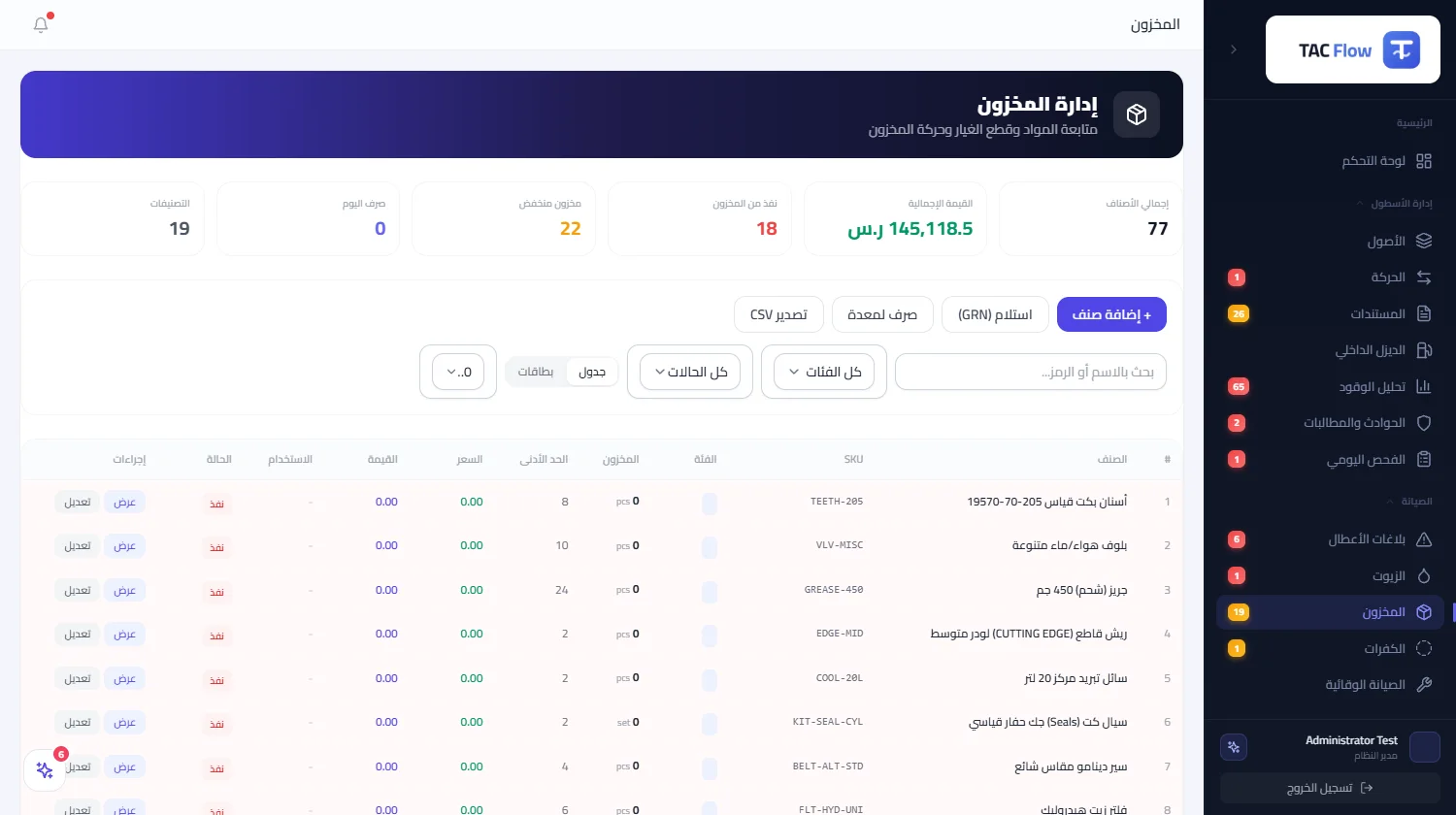
Inside the service
In most workshops the storeroom runs on the storekeeper's memory: parts leave without a record, and a critical item runs out on the very night a machine cannot afford to stop. This module turns the storeroom into a living register inside the system: every item has its code, unit, balance, minimum level, storage location, price and supplier, and every movement is a dated entry with a name and a reference behind it. Crucially, stock never moves through free-form edits — it moves through the actual work flows, so the storeroom number is an honest picture of what really happened.
01
A complete item card
An item is registered once with its full profile: name, code, category, unit, current balance, minimum level, unit price, supplier, storage location, compatible equipment, specifications and a photo. From the same list the storekeeper searches, filters by category or status, sorts by name or balance, and exports the list to a spreadsheet when needed. The value is that item data is entered correctly once, then every issuing screen and every later report reads from it — no re-typing.
02
Stock moves through its gates
There is no free manual balance edit; every change is a recorded entry. Inbound entries add stock as purchases or receipts; outbound entries deduct it with a reference attached. Parts issued on a fault-report work order deduct from stock, and an approved tire change deducts the tires automatically with their cost and the machine's name in the entry text — and if the deduction cannot be made, the change is not recorded at all, so nothing is ever issued against stock that does not exist. Returned used oil automatically builds its own accumulating item.
03
Warning before the stoppage night
Any item touching its minimum level is instantly counted in the low-stock indicator at the top of the screen and in the sidebar badge, so the manager sees the number before even opening the page. The decision moment is clear: the critical-items list is in front of him, and the movement log shows each item's real draw rate, so purchasing happens before the stock-out rather than after it, balancing money idle on shelves against a missing part that halts a repair.
04
Entries that survive an audit
Every movement stores its quantity, unit price, total, reference, author and time, so an auditor can walk any item back from its current balance through every entry that changed it. Even a machine retired from service keeps its name visible on its old movements, so history never breaks. The whole module is fenced by company isolation and role permissions: adding and issuing belong to those authorized for them, not to whoever opens the screen.
05
A bounded project-manager view
A project manager does not see inventory at all unless the permission is switched on in his project's settings, and when he does, movements filter to his project's machines only, along with just the items those movements touched — one site never looks into another site's spending. The module's limits are stated plainly: operational, asset-linked stock for maintenance work, not a commercial warehousing system with multiple storage sites and a full purchasing and approval cycle.