Inside the service
When cost aggregates into a single company-wide figure, it is impossible to know which site is draining it. This module makes the project the unit of account: each project has its file with its location and responsible people, and every asset is assigned to a project so its records follow it — movements, fuel, oils, stock and inspections — to its site. The project manager gets an account confined to his project, with permissions tuned per project, so he runs his site fully without seeing anyone else's — and the general manager compares all sites on one basis.
01
A project file, not a name
A project in the system is a full record: name, city, address, map coordinates with a radius defining its perimeter, the project manager with his phone and ID number, the site supervisor likewise, and operating notes. These details are not decoration: the coordinates place the site on maps and anchor its recognized perimeter, and the responsible people's details appear on the documents and reports that carry the project's name, so every party knows whom it is addressing.
02
Assets carry records to their project
Assigning a machine or vehicle to a project is not a cosmetic field: everything recorded against the asset afterwards — its movements, fuel, oils, parts, inspections and fault reports — reads within its project's slice. When the manager asks about one site's consumption, nobody compiles numbers from scattered notebooks; the records themselves filter to that site's machines, and comparing projects becomes direct reading rather than a monthly estimation exercise.
03
A manager account bounded server-side
The project manager's account is pinned to his project, and the boundary is enforced at the server, not in the screen: every request passes through the project filter, so equipment, movements, fault reports, daily inspections, fuel, oils, inventory, documents, accidents and reports all come back scoped to his project alone. No forgotten setting and no leaking screen, because the limit is imposed where the data is produced, not where it is displayed — the difference between hiding and isolation.
04
Permissions tuned per project
What a project manager may do is decided by the general manager per project: diesel, oils and preventive maintenance are open by default because they are the site's daily work, while inventory, accidents and claims stay closed until deliberately opened, and settings is its own decision. Two projects in the same company can run under two different permission sets — trusting one disciplined site supervisor is no reason to open every door on every site.
05
Sites laid side by side
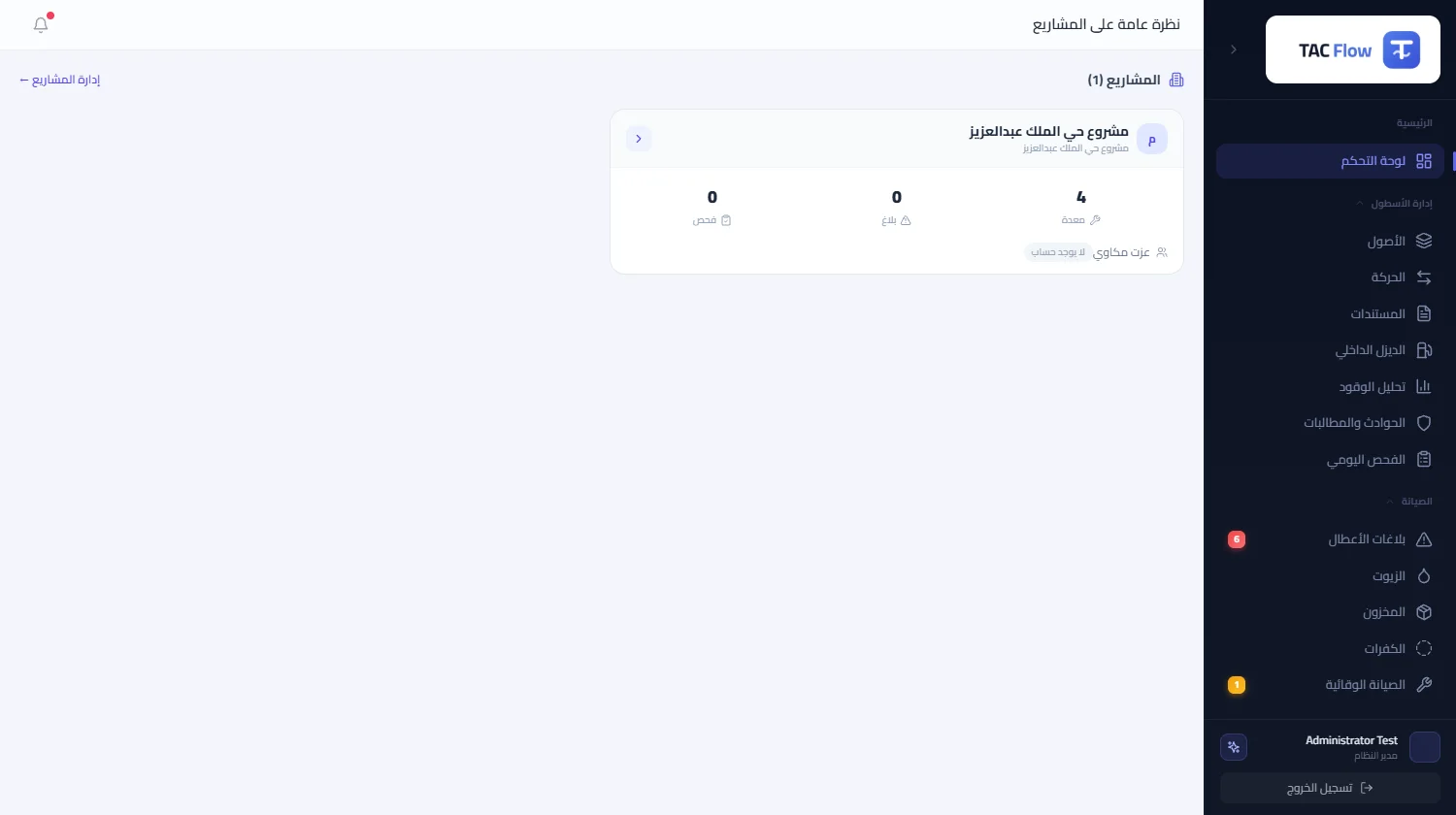
The overview page lays projects out as adjacent cards: each project's equipment count, its open fault reports, its pending inspections, and whether it has an active manager account. A half-minute glance exposes the site crowded with under-producing machines and the site whose reports pile up unattended, so management discussion starts from visible numbers, not impressions. The module's limits are explicit: it manages operations at project level; it is not a construction scheduling tool.