Inside the service
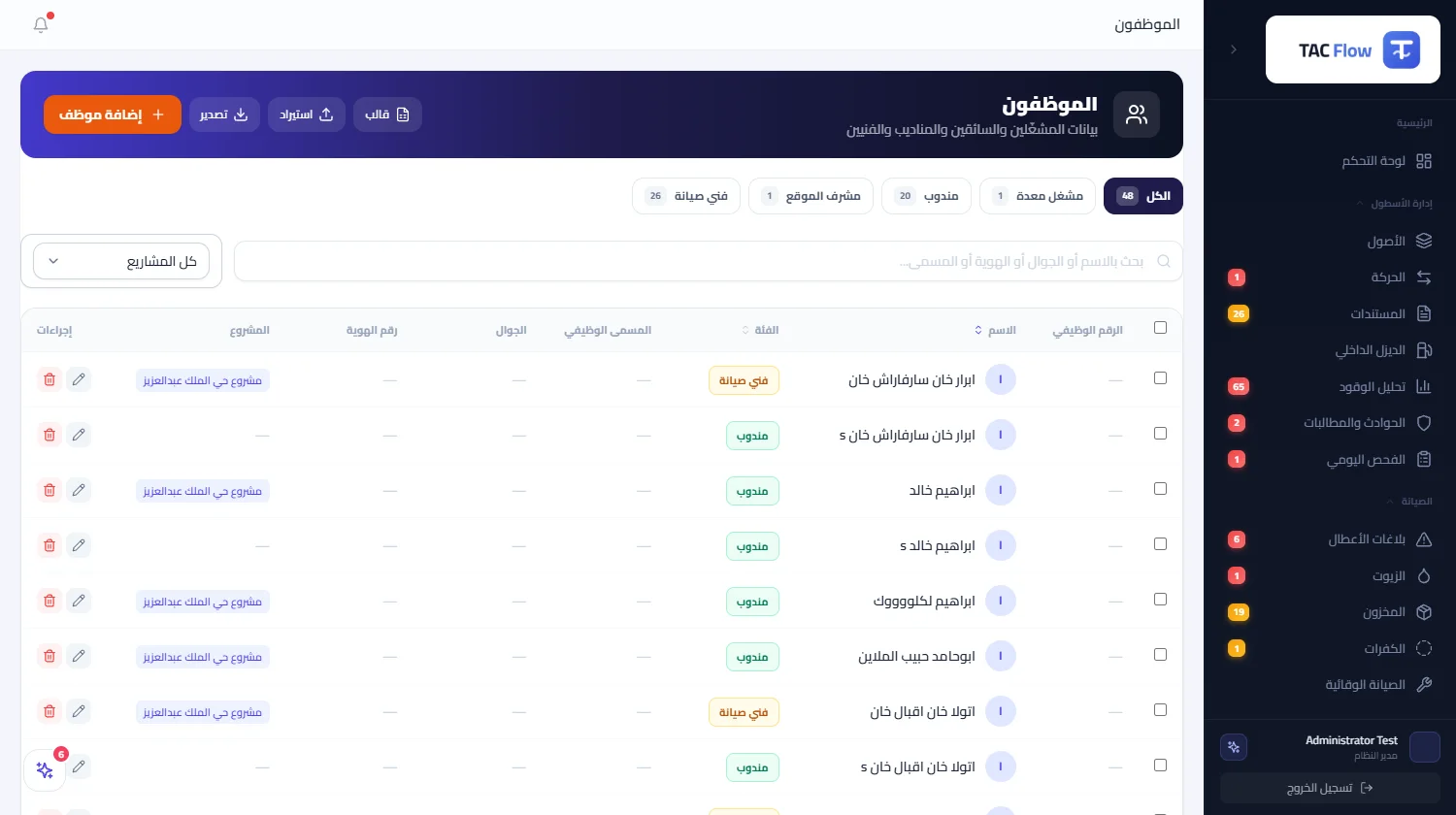
When an operator's name is spelled differently on every screen, his records scatter and no history accumulates. This module is one register for employees, operators and drivers: each person has a job number, name, phone, ID number, functional category and project, and from this register alone the pick-lists across the rest of the system are read — from the movement delegate to the maintenance technician to the machine operator. A name is written correctly once, then its trail follows it on every screen and report after.
01
A controlled category, not free text
The functional category is a choice from six fixed values: machine operator, services driver, delegate, site supervisor, maintenance technician, and other — and the whole system matches on exactly these, so the operator list on a machine's edit screen shows only the machine-operator category. The free descriptive job title is a separate display-only field, so a spelling slip in it can never break a match. Unknown legacy categories settle automatically into the other category with their wording preserved, so no employee disappears over an old label.
02
One register feeding every module
Delegate lists in movements, operator lists in daily inspection and in linking a machine to its operator, technician lists in maintenance reports — all read from this register alone, with no side tables managed separately. Even the legacy lists that predate the module migrated in automatically without duplication, matched on names beyond spacing differences in writing. Correct a name once, and it is correct everywhere it appears afterwards.
03
A whole team in one upload
A ready spreadsheet template imports the entire team at once: whoever has a job number keeps it, whoever lacks one gets a number generated in a sequence that never collides with earlier ones, and re-uploading the same file updates existing records instead of duplicating them, returning a summary of what was inserted, updated and skipped. A non-matching category does not reject the row — it settles into the other category carrying its title, so nobody falls through on the way.
04
Project assignment, stated limits
Each employee is assigned to his project and appears within its scope on project-bounded screens; the list offers search by name, filtering by category and project, and bulk re-categorization of a selection at once. The limits are declared without ambiguity: an operating register of who works, in what capacity, on which project — not payroll and not financial time-attendance — and vehicle custody with its signed forms is managed in the vehicles module, not here.