Inside the service
Tracking registrations, insurance, and inspections on a side spreadsheet always ends the same way: a document expires silently, a violation surfaces after its time, and the original copy is nowhere to be found at the urgent moment. This service ties every document to its asset with an expiry date and an attached digital copy, sweeps the entire register daily to warn before expiry with time enough to renew, and makes renewal itself an action that accumulates past versions in the document's history instead of erasing them.
01
Every document on its asset
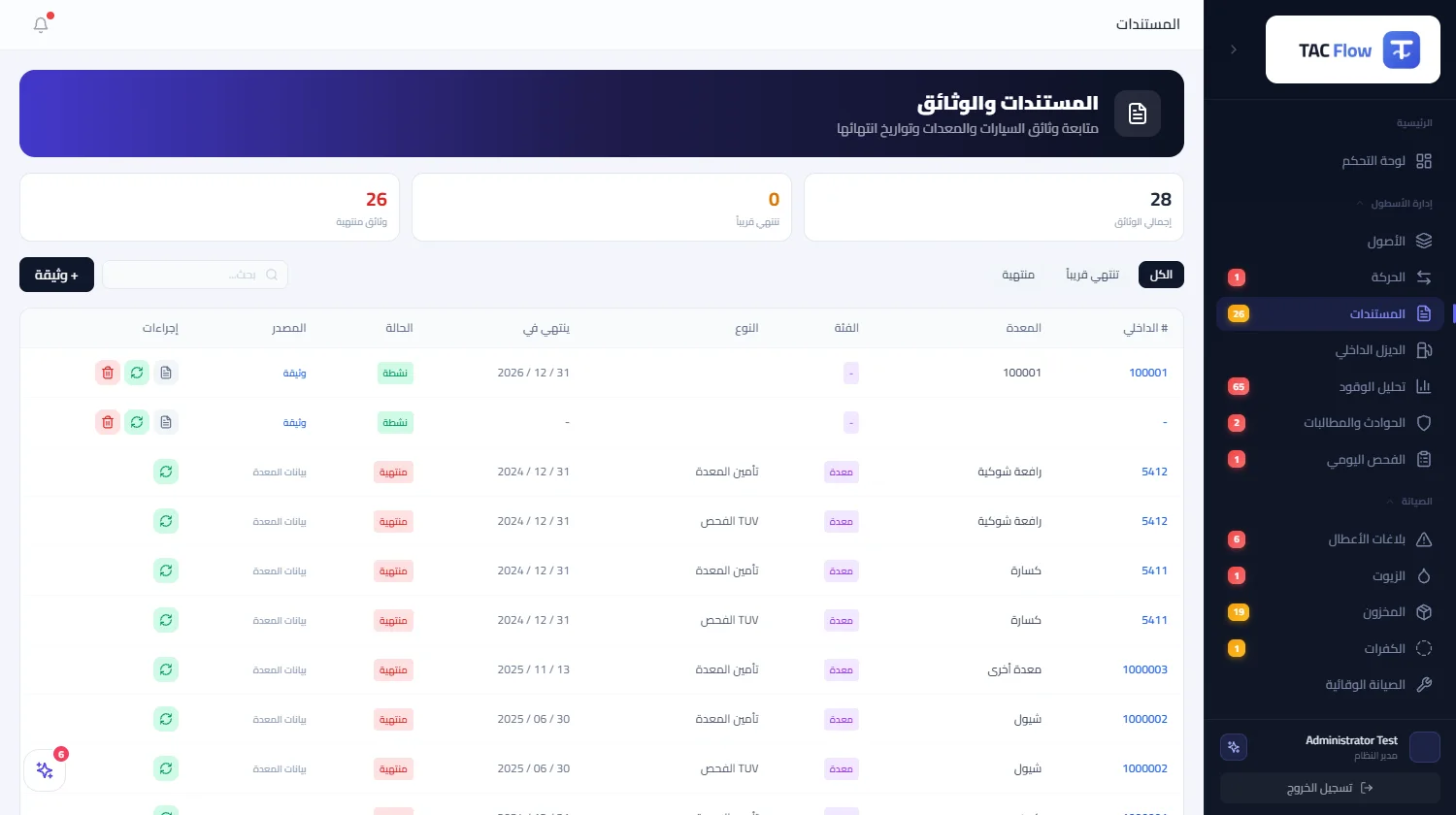
A document is registered tied to its vehicle or machine, with its type from a system-managed type list, its number, issuing authority, and both issue and expiry dates. Its digital copy is attached either by direct upload into the asset's files or by linking a file already uploaded there. So a vehicle's document is found exactly where you would look for it: on the vehicle's own record, not in an email folder or a desk drawer.
02
Three states, no interpretation
A document's state is computed automatically from its date: active, expiring soon when thirty days or fewer remain, or expired. The same rule shows everywhere: the statistics cards on the documents board count the active, the nearly expired, and the actually expired; the filters display each slice on its own alongside search. A manager opens the board and reads the full compliance position at a glance.
03
A daily reminder that never spams
A scheduled job sweeps all documents every day, spots whatever expires within thirty days, and creates an alert naming the document, its asset, and the days remaining — escalating its severity when seven days or fewer remain, and sending it by email to company management. Each document carries a per-day deduplication key so the alert inbox never drowns in the same message, and the alert names the asset by its readable internal number, never a system identifier.
04
Renewal accumulates, never erases
Renewing a document is a dedicated action, not free editing: before saving the new dates, number, and attachment, the system snapshots the expiring version's data and appends it to the document's history, so versions accumulate over the years and stay readable whenever needed. Sensitive fields such as the identifier and creation date are protected from modification through the interface, and the documents of a retired unit remain readable within its history.